Multilingual UX content, powered by Figma variables


The UX ContentHub plugin automates your localization workflow, from scanning text layers to managing local and library collections. Everything stays native to Figma, right where you design.

An image of Dreelio's dashboard

features

One plugin. Three integrated workflows.

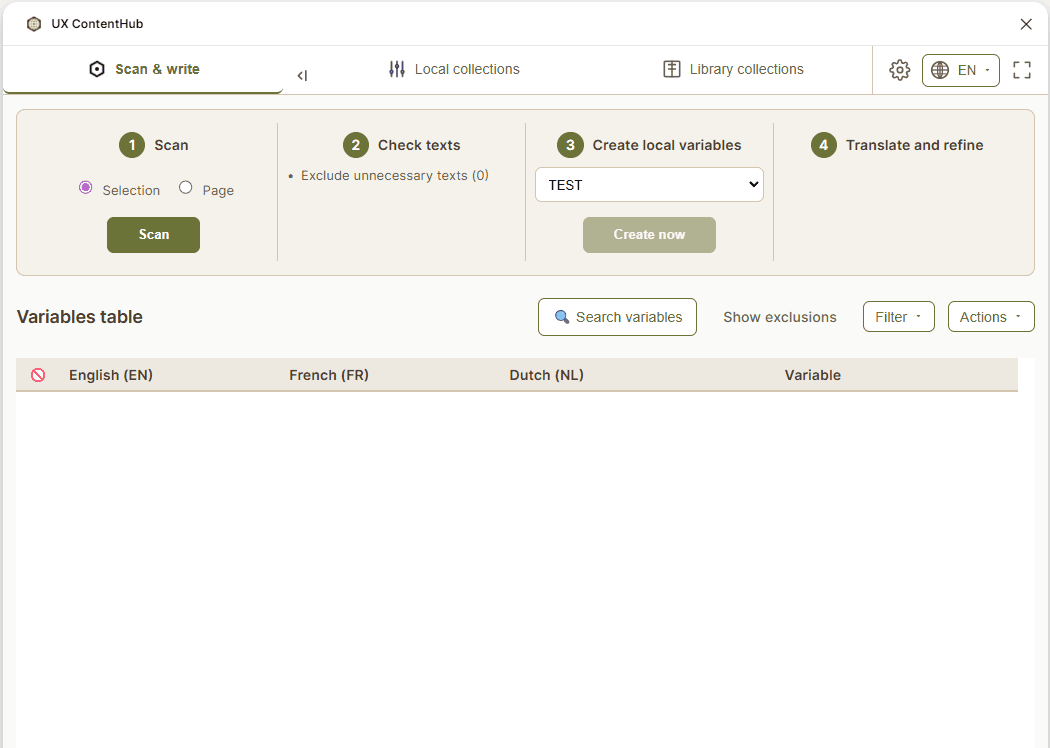
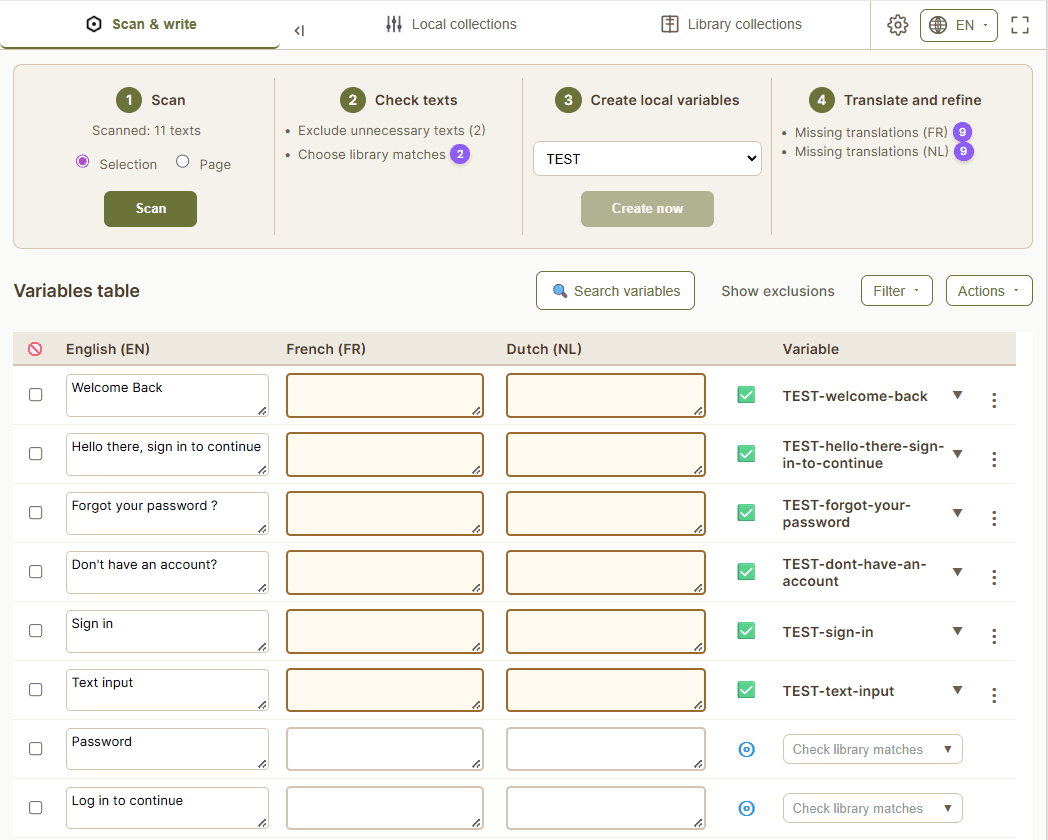
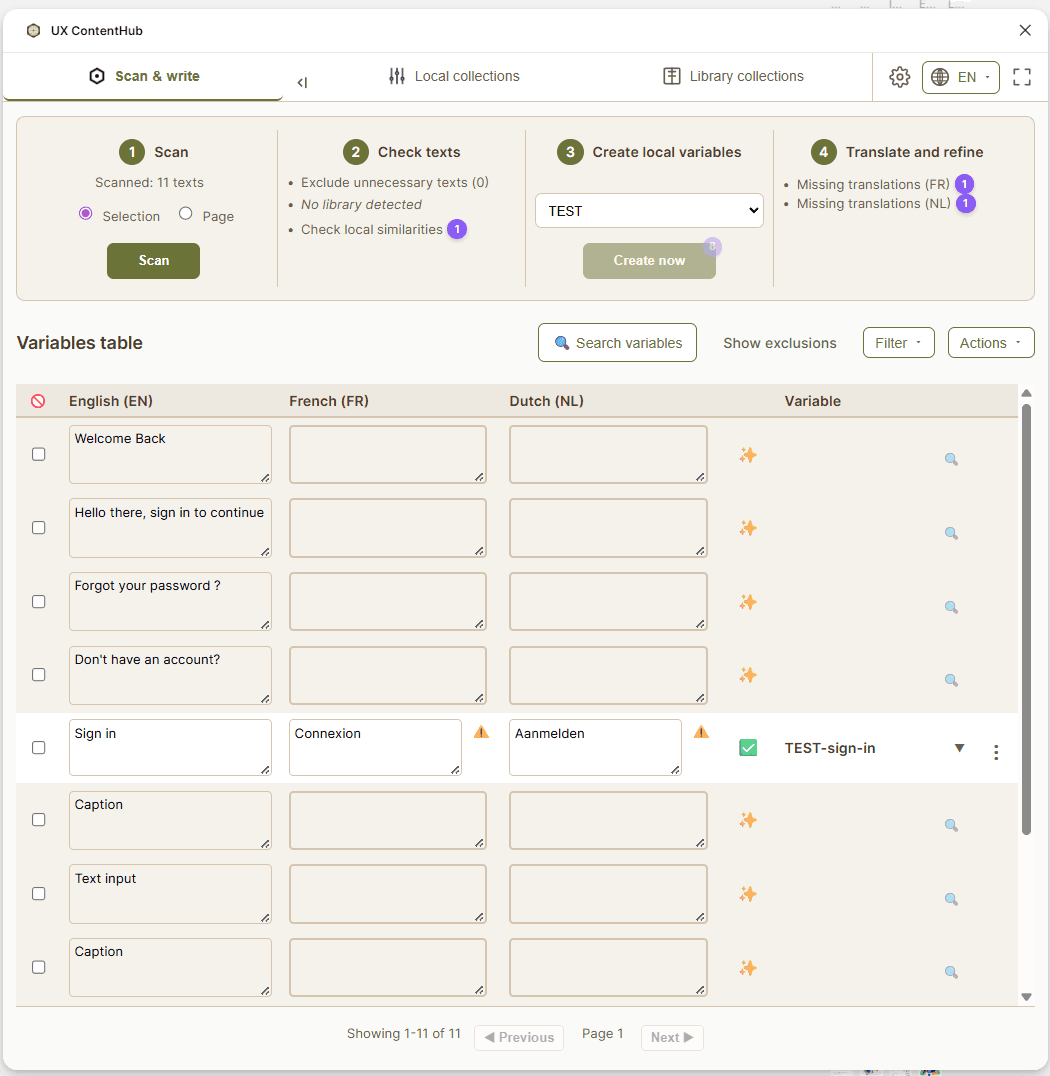
Scan & Write

Detect text layers, match existing variables, and convert your designs to multilingual content in one click.

Scan & Write

Detect text layers, match existing variables, and convert your designs to multilingual content in one click.

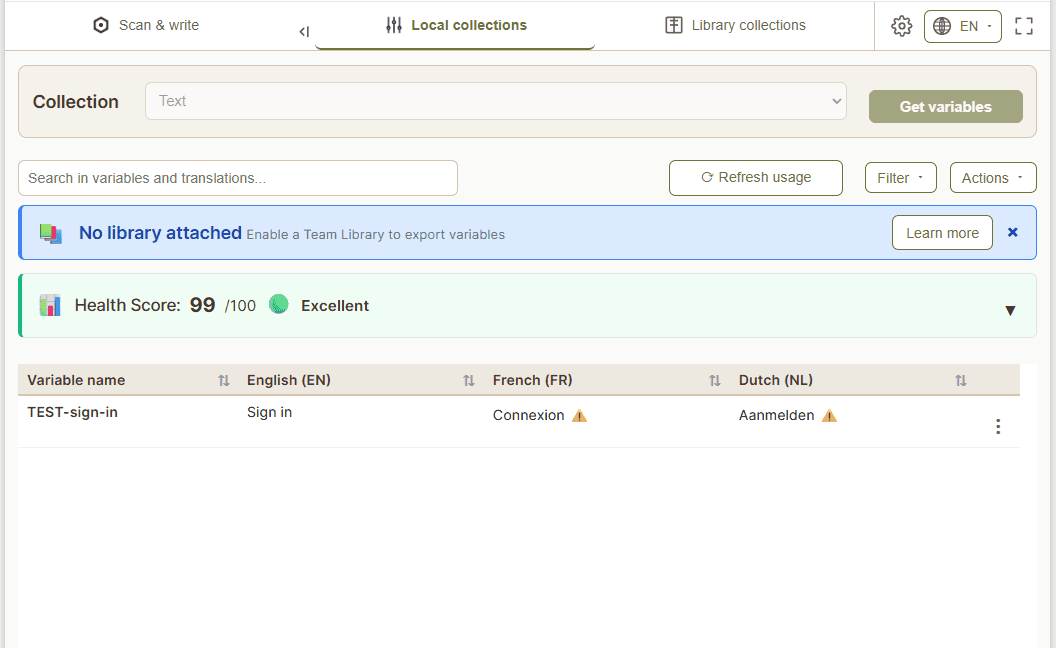
Local collections

Edit translations, spot missing content, and maintain local variables collection health across all your languages.

Local collections

Edit translations, spot missing content, and maintain local variables collection health across all your languages.

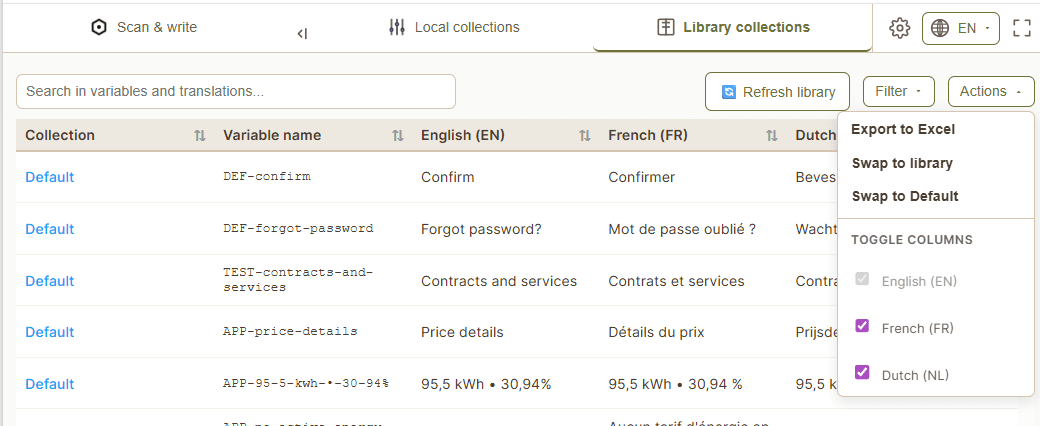
Library collections

One place to oversee all your library variables, spot duplicates across libraries, swap local variables for their library equivalent, and keep your content system consistent at scale.

Library collections

One place to oversee all your library variables, spot duplicates across libraries, swap local variables for their library equivalent, and keep your content system consistent at scale.

Your content. One place. Always in sync.

Copy scattered everywhere?

Variables live in Figma, alongside your designs. No more hunting through Excel files, Jira tickets, or shared docs.

Design and copy drifting apart?

Text layers stay bound to variables. Copy updates ripple across every screen and language automatically.

Same text, different wording?

Create once in your Team Library, reuse everywhere. One variable, consistent across all files and all teams.

Your content. One place. Always in sync.

Copy scattered everywhere?

Variables live in Figma, alongside your designs. No more hunting through Excel files, Jira tickets, or shared docs.

Design and copy drifting apart?

Text layers stay bound to variables. Copy updates ripple across every screen and language automatically.

Same text, different wording?

Create once in your Team Library, reuse everywhere. One variable, consistent across all files and all teams.